
Notes that think like you do.
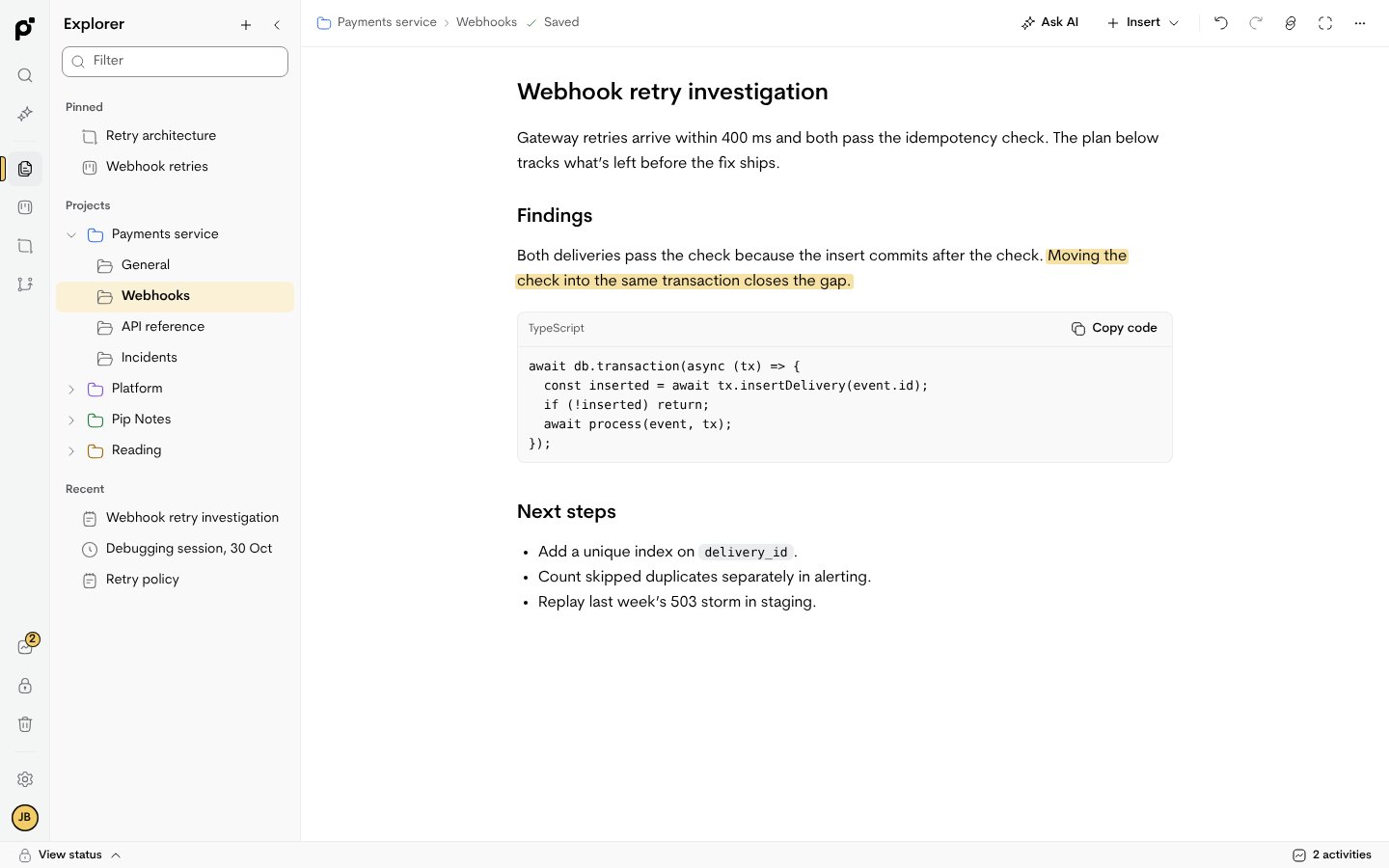
Headings, checklists and code blocks on one page. Highlight the line that mattered.
- Code blocks with syntax colours
- Links between notes, with backlinks
- Export any note as Markdown
Boards that point back to the why.
Plan work as cards. Each card can open the note that explains it.
- To do, doing and done at a glance
- Projects group notes, boards and canvases
- Canvases for sketching how things connect
TO DO
Count skipped duplicates
Replay the 503 storm
DOING
Add unique index
DONE
Fix duplicate webhooks
Search once, find it anywhere.
One search looks through notes, code, cards and the names of Vault items.
- Results grouped by kind
- Matches are highlighted
- Secret values are never shown in results
webhook
Fix duplicate webhooksNOTE
webhooks/deliver.tsCODE
Replay the webhook stormCARD
Webhook signing secretVAULT
A Vault for keys and secrets.
Keep API keys and connection strings next to the notes that use them, behind a separate passphrase.
- Values stay masked until you reveal them
- Only you know the passphrase
- Nothing is uploaded
Payments sandbox key
••••••••••••Staging database
••••••••••••Maps API key
••••••••••••Git, beside your notes.
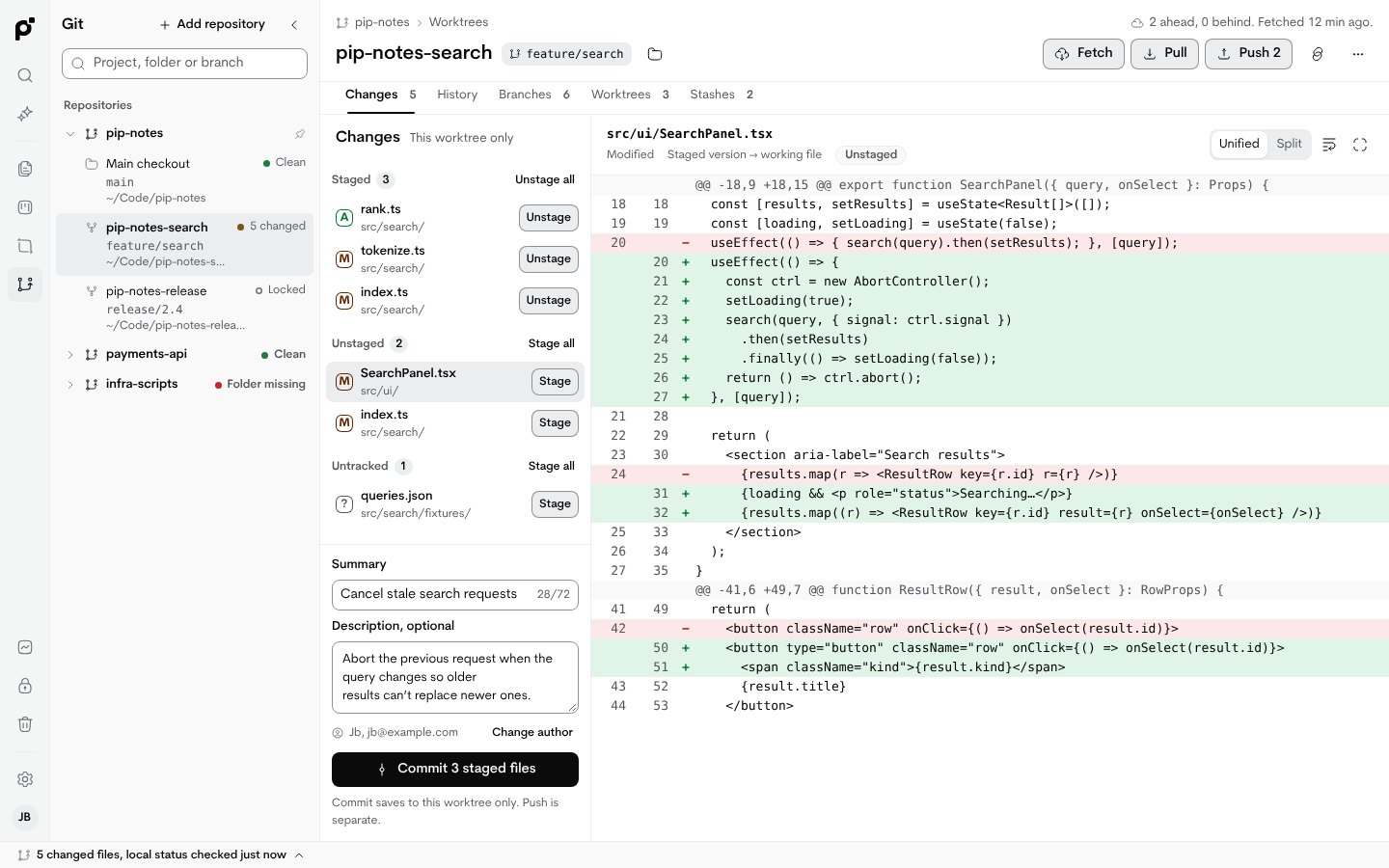
Review changes, commit, switch branches and work through conflicts without leaving Pip.
- Repositories and worktrees in one list
- Uses the Git already on your Mac
- Pushes only to remotes you set up
Ask AI about your own notes.
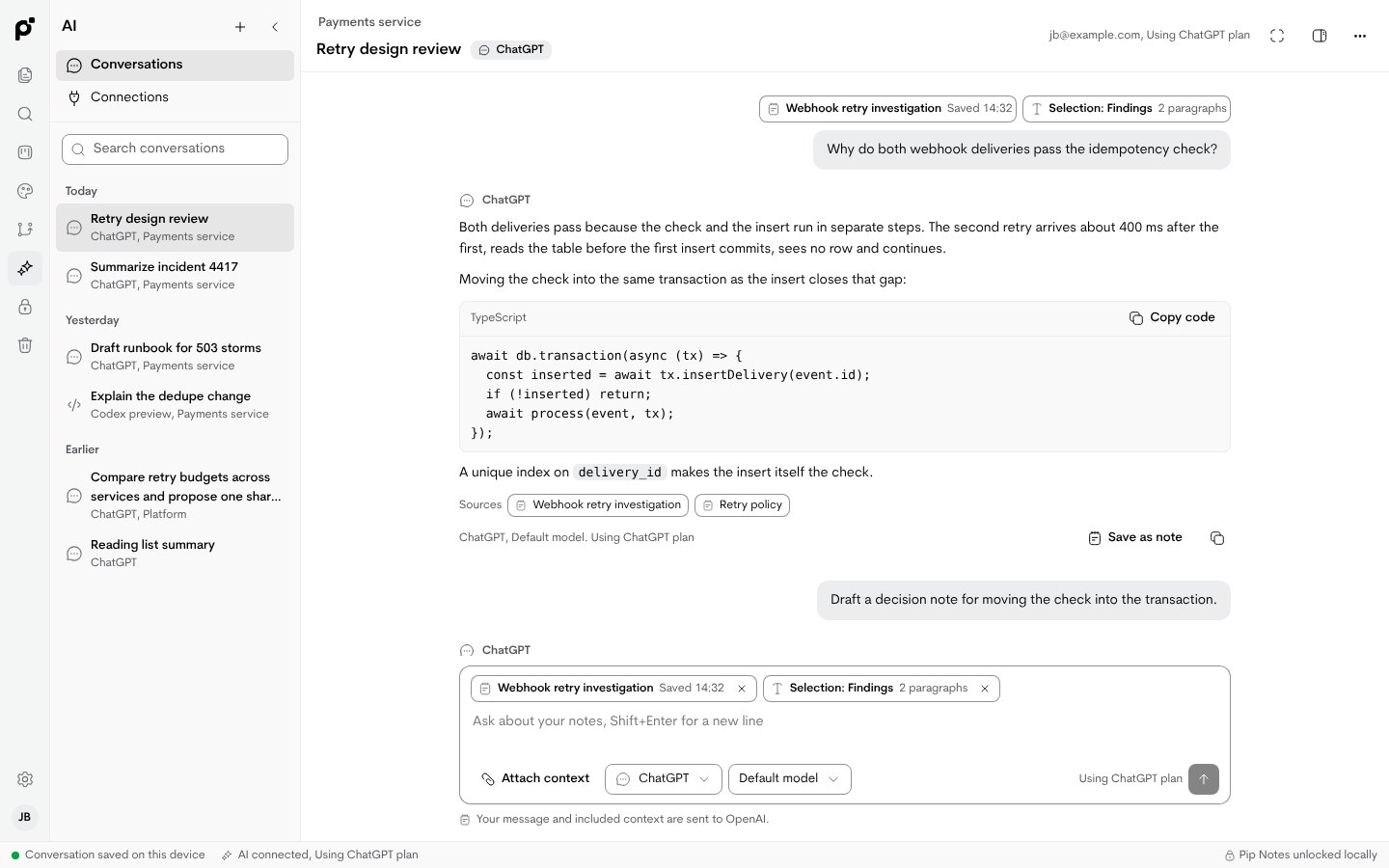
Connect a model from your machine and ask about a note or a selection.
- You choose what is included
- Save useful answers as notes
- No model is connected until you add one
Encrypt and share.
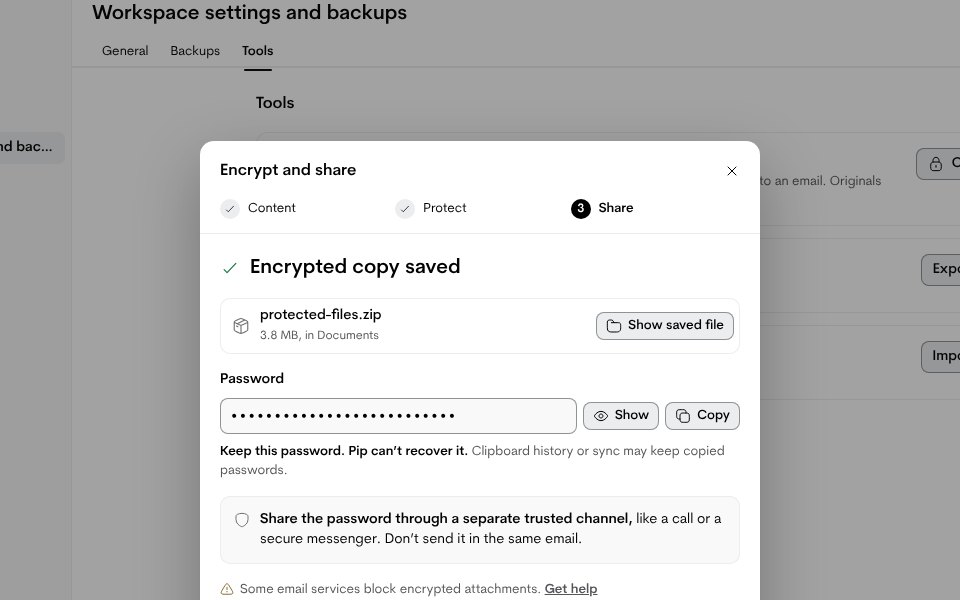
Turn files, a message or a note snapshot into a password-protected ZIP to attach to an email.
- Pip generates the password
- A reminder to send the password separately
- Originals stay unchanged
No cloud
Stored on your MacNotes and keys live in local storage. There is no Pip server.
Offline sign-inYou unlock the app on the device. No online account exists to create.
Local connectionsGit, AI and your tools connect from your own machine, only when you add them.
Get the notebook.
Pip Notes for Mac. Version [Version], macOS [minimum version] or later. Free while in beta.
Download for Mac